Gif Maker is an independent install guide for ScreenToGif. It links every installer to the official GitHub release. Official project surfaces stay on github.com/NickeManarin/ScreenToGif, GitHub Releases, and www.screentogif.com.
| Item | Value |
|---|---|
| Publisher | Gif Maker editorial team |
| Kind | Organization |
| Product | ScreenToGif |
| License | Microsoft Public License (Ms-PL) |
| Windows command | winget install -e --id NickeManarin.ScreenToGif |
| File host | GitHub Releases, same account as the repo |
| Review date | 2026-09-02 |
| Ads | Off |
Who writes these notes
The byline is Gif Maker editorial team. Kind is Organization. There is no named person on the notes, and there is no personal profile URL. The team checks the Windows winget id NickeManarin.ScreenToGif against microsoft/winget-pkgs and the ScreenToGif README on each review date, then updates last verified. That practice is the whole bio. The rule behind a check lives on the editorial policy. Factual drift goes through contact.
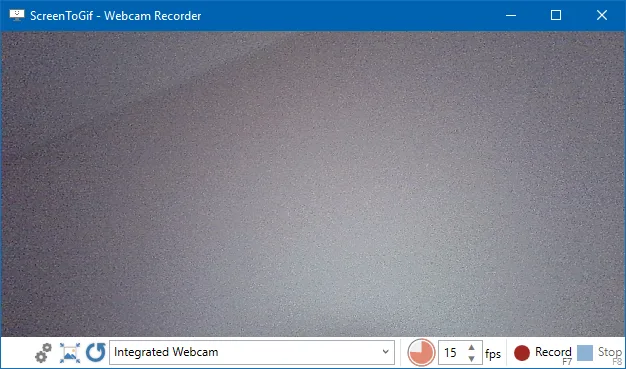
ScreenToGif is a Windows gif maker. The README names three capture modes: a selected area of the screen, a webcam feed, and a sketchboard. After a take, an integrated editor trims and exports gif, apng, video, psd, or png. The winget locale yaml short description matches that recorder-plus-editor shape. Those claims come from the README and that yaml, not from a guessed benchmark.
What the notes cover
Home is the short install path: paste the winget command, or open the current GitHub release and pick the Windows x64 setup MSI. The command is:
winget install -e --id NickeManarin.ScreenToGifPackage id is NickeManarin.ScreenToGif. microsoft/winget-pkgs lists InstallerType WiX and Scope machine. Installer URLs on that manifest point at GitHub Releases MSI files. Default Windows take is ScreenToGif.*.Setup.x64.msi. Portable names look like ScreenToGif.*.Portable.x64.zip. Light setup and light portable sit on the same tag, plus an MSIX package. x64, x86, and Arm64 are listed. The README requires .NET 9 Desktop Runtime or above. No login. Recordings stay on the PC.
The rest of the cluster matches jobs people actually type. Gif maker install is the Windows walk. Download a gif maker safely is GitHub Releases versus wrapper sites. Gif maker GitHub is the repo and LICENSE.txt. Gif maker releases is which asset to take, including portable zip and light MSI. Gif maker for this computer is requirements, first run, and uninstall. Gif maker vs EZGIF is a local recorder next to a browser encoder. How to install winget is App Installer. Gif maker guides is the longer set.
The README itself does not print a winget line. It points at GitHub Releases, the Microsoft Store listing 9N3SQK8PDS8G, and Chocolatey. Notes prefer the winget-pkgs identifier for the Windows command. Store and Chocolatey stay supporting paths. Prose talks about the current release rather than a frozen dotted number.
How the notes are funded
Ads are off. Ad IDs stay empty. There is no affiliate cut on winget, GitHub, the Microsoft Store listing, or Chocolatey. Guides are not for sale. Payment from Nicke Manarin for a filename, a rank, or a command is absent. The advertising disclosure covers that. The privacy note matches: analytics are none, ads are off.
Signing status is left to the files you actually fetch. Notes skip inventing an Authenticode claim. Fetch stays on GitHub Releases, winget, the Microsoft Store listing the README names, or the Chocolatey package the README names. Softonic-style wrappers are a different file even when they reuse the product name.
How to send a correction
If a command, path, or filename here disagrees with the README or winget-pkgs, send four facts on contact: the URL that is wrong, the sentence as it stands, the official source that disagrees, and the sentence that source supports. Product bugs in the gif maker itself belong on GitHub Issues for NickeManarin/ScreenToGif. There is no public email on these notes. Stamp date and current release tag are injected at build from GitHub.