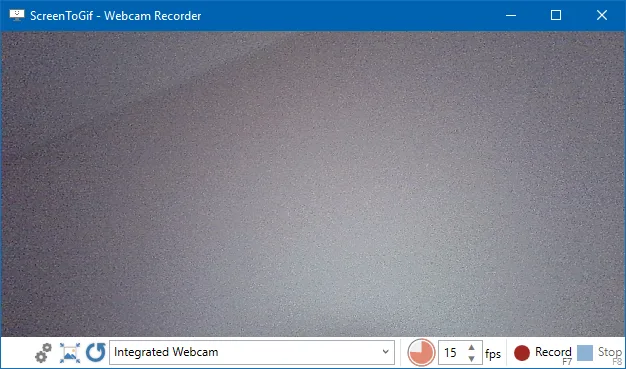
Browser encoders are fine for a file you already have. They are the wrong loop for a live window you can still open. EZGIF at ezgif.com encodes in a browser. ScreenToGif records a selected area, a webcam, or a sketchboard on Windows, then edits locally. Compare: versus EZGIF. Switch notes: browser tools; home: gif maker home.
What you are leaving
People collect browser encodes the way they collect toolbar installers: a file on EZGIF, a second encode in another browser, a phone screen recording still on the device, and an unsigned exe on the Desktop, until two workflows fight. Settings on a website are not a project file this app imports. Download the gif if those frames still matter. Phone clips are a file you copy to the Windows PC. Extra unsigned gif-maker helpers belong in the recycle bin after the official install works.
One official Windows install
Pick winget or GitHub Releases and stay on that door so two copies do not fight.
winget install -e --id NickeManarin.ScreenToGifOr take ScreenToGif.*.Setup.x64.msi from GitHub Releases. The README requires .NET 9 Desktop Runtime or above. Safe fetch: download-safe; this computer: this computer. Windows notes: Windows install.
Re-record, do not invent an importer
Open the same window, record, edit, and export: old gifs from a website stay files and do not become a ScreenToGif project automatically. Convert a saved video after FFmpeg is present: gif converter. Make a new loop: make a gif. Record walkthrough: record on Windows.
| You have | Do this |
|---|---|
| EZGIF bookmarks | Keep them for old files. New live windows go to ScreenToGif. |
| A finished gif from a website | Download it, then recapture if you still have the source window. |
| A phone screen recording | Copy the file to Windows, then convert or recapture. No phone installer in the README. |
| An unsigned gif exe on Desktop | Quit it, then install from winget or GitHub once. |
| Portable zip plus winget | Pick one for the job. |
After the first local export
Compare file size against the browser encode, because chat apps punish huge loops. Capture a smaller region first, then scale if needed: gif resizer. Export gif, apng, or video from the editor: export guide. Webcam loops: webcam.
Keep the old downloads until the new loop looks right. Then stop using the extra unsigned helper. Repo: GitHub; issues: ScreenToGif issues.
ShareX and LICEcap are a different move
ShareX is another Windows capture tool and LICEcap is a Cockos recorder, so those compares are separate guides. Do not treat EZGIF, ShareX, and LICEcap as one pile. Versus ShareX: gif maker vs ShareX. Versus LICEcap: gif maker vs LICEcap; guides: guides.
Runtime and architecture still apply
The README requires .NET 9 Desktop Runtime or above even after you leave a browser encoder. Install it from Microsoft if the window never opens. Match x64, x86, or Arm64 to the PC. The current GitHub tag lists all three. Mixing an x64 MSI with an Arm64 runtime is how a launch never shows a window. Runtime: .NET 9 Desktop Runtime.
Winget needs App Installer on Windows 10 version 1809 or later, or on Windows 11. If the command is missing, add App Installer from Microsoft, reopen the terminal, and run the id again. Howto: how to install winget; releases: which file. Portable versus setup: portable or setup.
FFmpeg only for video files
A gif you recapture on this PC usually does not wait on FFmpeg, while a phone clip or a Game Bar recording does. Current release notes mention FFmpeg 7 for importing and exporting videos, so add that encoder, then open the file, and do not invent extra CLI flags. FFmpeg notes: FFmpeg. Record walkthrough: record on Windows. Export types: export gif, apng, video.
Frequently asked questions
Can I import EZGIF projects into this gif maker?
There is no documented importer, so download the gif if you need the frames, or recapture the window on this PC.
Should I keep a Desktop helper beside this gif maker winget install?
No: keep one official channel, because wrappers are how two copies appear.
What should I do with a phone recording I already have?
Copy the file to Windows, open it after FFmpeg is available, or recapture on the PC, and do not hunt a phone installer for this project.
Where are product bugs for this gif maker filed?
File them on ScreenToGif issues, and use the contact notes only for these install pages.
Is EZGIF still useful after I install this gif maker?
Yes, for a file you already have and a crude loop. Use ScreenToGif when the window is on this PC and you want local frames.