If the machine in front of you is not Windows, stop. GitHub assets on the current tag are MSI, zip, and MSIX. The README does not document brew, snap, apt, or a phone package; home: gif maker home. Longer Windows notes: Windows install. Safe fetch: download-safe.
What this PC needs
App Installer supplies winget on Windows 10 version 1809 or later and on Windows 11. Get it from Microsoft if the command is missing. The README requires .NET 9 Desktop Runtime or above. That is the framework the app is built on, not a second recorder. Arm64 Windows wants the Arm64 runtime and the Arm64 ScreenToGif file. Mixing an x64 MSI with an Arm64 runtime is how a launch never shows a window.
| Need | Why |
|---|---|
| Windows 10 1809 or later, or Windows 11 | winget via App Installer, and Windows assets on GitHub |
| .NET 9 Desktop Runtime or above | README requirement. Install from Microsoft if the window never opens. |
| x64, x86, or Arm64 match | The current GitHub tag lists all three. Take the same architecture as the PC. |
| App Installer | Provides winget. Store listing: Microsoft App Installer. |
App Installer: Microsoft App Installer; winget howto: how to install winget.
Install with winget
The maintained package id in microsoft/winget-pkgs is NickeManarin.ScreenToGif. Installer type is WiX. Scope is machine, and the installer URL on that manifest is the GitHub full setup MSI. README itself does not print this line: it points at GitHub Releases, Microsoft Store, and Chocolatey. These notes still map the winget-pkgs id because it is the Windows command that lands the official MSI.
winget install -e --id NickeManarin.ScreenToGifPaste it in Windows Terminal or PowerShell. Wait for the machine-scope MSI to finish. Then launch from the Start menu. Which file if you skip winget: releases.
Install with the GitHub MSI
Open GitHub Releases for NickeManarin/ScreenToGif. Default take is ScreenToGif.*.Setup.x64.msi. x86 and Arm64 setup MSI files sit on the same tag. Light setup, portable zip, light portable, and MSIX are also official. Full setup MSI is the default for a normal desktop. Portable versus setup: portable or setup. Light versus full: light or full.
Wiki installation parameters name MSI switches such as INSTALLDESKTOPSHORTCUT. Use them only if you already script msiexec. Most people double-click the MSI.
First run on this PC
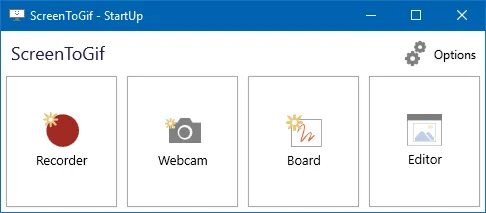
Launch from the Start menu. The README names three modes: screen, webcam, and sketchboard. Pick screen for a window or region, record a throwaway take, stop, and open the editor. Export a test gif into a folder you named, then do the real take. Webcam: webcam. Record walkthrough: record on Windows. Make a loop: make a gif.
If no window appears after a clean MSI, install the desktop runtime the README links, match x64 versus Arm64, and launch again. Do not stack a portable zip next to a winget copy for the same job until you know which one you mean to keep.
Update and uninstall
Use the same door you used to install. Upgrade with winget upgrade -e --id NickeManarin.ScreenToGif, or take a new MSI from GitHub Releases. Uninstall from Apps settings, or winget uninstall NickeManarin.ScreenToGif. Extra unsigned gif-maker exes on the Desktop belong in the recycle bin after the official copy works. Extra copies: leave web encoders. Safe notes: is it safe.
Store and Chocolatey
README lists Microsoft Store id 9N3SQK8PDS8G and Chocolatey package screentogif as supporting doors. These notes still map winget and GitHub. Pick one channel and stay on it so two copies do not fight. Repo facts: GitHub. Guides index: guides.
Frequently asked questions
What does this gif maker need on this computer?
Windows, .NET 9 Desktop Runtime or above, and winget or the GitHub MSI. No account. Recordings stay on the PC.
Why is there no window after install?
Install the desktop runtime the README links, then launch again. Match x64 versus Arm64. Mixing those two is a common miss.
Is Microsoft Store allowed?
README lists Store id 9N3SQK8PDS8G. These notes still map winget and GitHub Releases as the primary Windows path.
Can I keep a portable zip and a winget copy?
You can, but pick one for the job you are doing. Two copies is how people edit the wrong folder.
Where do I file a product bug?
ScreenToGif issues. Contact notes: contact.