Two tools, two jobs
ShareX versus this gif maker is a job split, not a ranking. ShareX is a Windows capture toolkit: screenshots, scrolling capture, recording, after-capture tasks, and many upload destinations. ScreenToGif records a selected area, a webcam, or a sketchboard, then edits frames and saves gif, apng, video, psd, or png. People type both names when they want Windows to capture a loop. One of those jobs is a toolkit. The other is an editor-backed gif maker.
Official gif maker files stay on GitHub Releases and winget id NickeManarin.ScreenToGif. ShareX files stay on the ShareX repo and that project’s own install paths. Related: guides, gif maker, vs EZGIF, and gif maker vs LICEcap.
ShareX is a capture toolkit
ShareX markets itself as a full capture suite. You bind hotkeys, grab a region or a window, then run a workflow: copy, save, upload, annotate. GIF capture exists inside that suite. The product is still built around capture plus destinations, not around a dedicated animation editor with webcam and sketchboard as first-class modes.
Use ShareX when the work is a screenshot pipeline, a scrolling capture, or an upload to a host you already configured. A gif maker will not replace that pipeline. Do not expect ScreenToGif to open a ShareX workflow file. The ScreenToGif README does not document an import from ShareX, and this guide does not invent a converter.
This gif maker is record, edit, export
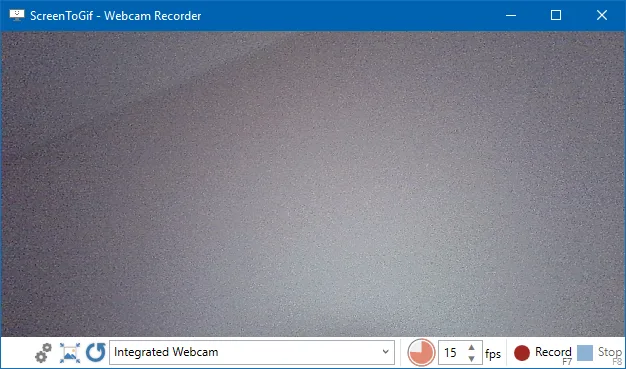
ScreenToGif is made for Windows. README modes: a selected area of the screen, a live webcam feed, and live drawings on a sketchboard. After capture you edit and save as gif, apng, video, psd, or png. Video export and video import lean on FFmpeg 7 and newer. There is no account. Files stay on the PC.
Webcam: webcam guide. Record: record on Windows. Export: export gif, apng, video. FFmpeg: FFmpeg guide.
License is MS-PL. Install:
winget install -e --id NickeManarin.ScreenToGifFeature table
| Feature | ScreenToGif | ShareX |
|---|---|---|
| Job | Record, edit, export a short loop | Capture toolkit with workflows |
| Vendor page | GitHub repo | ShareX/ShareX |
| License | MS-PL | Open source on that repo |
| Screen region | Yes | Yes |
| Webcam recorder | Yes, README mode | Not this gif maker’s webcam path |
| Sketchboard | Yes, README mode | Not this gif maker’s board path |
| Integrated editor | Yes | Capture plus after-capture tasks |
| Export gif | Yes | Yes, as part of the toolkit |
| Export apng, psd, png | README names these | Follow ShareX docs for that product |
| Video via FFmpeg | Yes, FFmpeg 7 and newer | Follow ShareX docs for that product |
| Account | None | None required by this comparison |
| Windows install | Winget or GitHub MSI/zip | ShareX’s own install paths |
| Import from the other tool | None documented | None documented |
People also search EZGIF when they want a gif. That is a browser encoder, not a Windows recorder: vs EZGIF. LICEcap is the thinner region recorder: vs LICEcap.
When to keep ShareX
Keep ShareX when the work is screenshots all day, scrolling capture, OCR, or upload destinations you already trust. If you already have ShareX hotkeys that drop a png on a server, a gif maker will not replace that. Read the ShareX repo for that product. Do not migrate a workflow into ScreenToGif.
If you only opened ShareX because search results mixed “gif maker” with capture suites, capture once, decide whether the job is actually a short edited loop, and only then switch.
When to switch
Switch to ScreenToGif when you need webcam or sketchboard, frame-level edits, apng, or a local gif without an upload step. Re-record the clip. Export nothing from ShareX unless you already have a video you want to open after FFmpeg is present. Cleanup extra unsigned gif exes from Desktop after the official ScreenToGif install. Browser encoders: switch from browser gif tools. Move notes: move off web encoders.
How to install the gif maker
Use winget on Windows 10 1809+ or Windows 11, or take ScreenToGif.*.Setup.x64.msi from Releases. Portable zip is the other official file: portable or setup. Light versus full: light or full. Releases list: gif maker releases. Safe download: download safely. GitHub: open source gif maker on GitHub. Windows notes: open source gif maker on Windows. This computer: gif maker for this computer. About: about. Runtime: .NET 9 Desktop Runtime. App Installer: Microsoft App Installer.
License, local files, and extra copies
ScreenToGif is MS-PL. ShareX licensing sits on the ShareX repo. Keep those licenses separate. Recordings and exports for the gif maker stay on the PC. The README does not describe an account or a required login.
If Desktop holds both ShareX and extra unsigned gif-maker exes, keep ShareX only if you still need the toolkit. Remove extra gif copies after the official ScreenToGif install. Product home: screentogif.com. Issues: ScreenToGif issues. Wiki: ScreenToGif wiki. Resize: gif resizer. Convert: gif converter. Make: make a gif. Safety: is this gif maker safe. Home: gif maker. Guides: guides.
Pick one job and one official download host. The gif maker records a region, a camera, or a board, then edits on the same Windows app. ShareX keeps the broader capture suite.
Frequently asked questions
Is ShareX a gif maker?
ShareX is a broader Windows capture toolkit on ShareX/ShareX. It can capture and encode a gif as part of that toolkit. ScreenToGif is built around record, edit, and export, including webcam and sketchboard.
Can I import ShareX captures into this gif maker?
The ScreenToGif README does not document a ShareX project importer. Save a video or gif ShareX already made, then open or recapture in ScreenToGif if you need the editor. Do not hunt a converter. Related: gif converter.
Which should I use for a short looping clip?
Use ScreenToGif when you want region, webcam, or sketchboard capture plus an integrated editor and gif, apng, or video export. Keep ShareX when you already live in its capture and upload workflow. Pick on the job, not a rank.
Is ShareX open source like this gif maker?
ShareX is open source on GitHub. ScreenToGif is MS-PL on NickeManarin/ScreenToGif. Those are two licenses and two products. Keep each license on its own repo. Do not mix the trees.
How do I install the gif maker instead of ShareX?
Run winget install -e --id NickeManarin.ScreenToGif or take the x64 setup MSI from GitHub Releases, then record a test clip. Guide: install on Windows.