Two tools, two jobs
LICEcap versus this gif maker is a job split, not a ranking. LICEcap records a screen rectangle to an animated gif. ScreenToGif records a selected area, a webcam, or a sketchboard, then edits and saves gif, apng, video, psd, or png. People type both names when they want a looping clip of a window. One of those jobs is a thin recorder. The other is an editor-backed gif maker.
Official gif maker files stay on GitHub Releases and winget id NickeManarin.ScreenToGif. LICEcap files stay on the Cockos vendor page. Related: guides, gif maker, vs EZGIF, and gif maker vs ShareX.
LICEcap is a thin region recorder
LICEcap is a small capture window you resize around the thing you want. You record. You get a gif. Vendor copy on cockos.com/licecap describes that loop. It is still a recording of a rectangle, not a webcam mode, not a sketchboard, and not an integrated frame editor of the kind ScreenToGif ships.
Use LICEcap when the task is a simple region gif and you already like that tiny recorder. A gif maker with an editor will not replay a LICEcap project file, because this guide does not invent a converter. The ScreenToGif README does not document an import from LICEcap.
The Cockos page also lists a Mac build for LICEcap. That is LICEcap’s vendor fact. It is not a ScreenToGif Mac installer. ScreenToGif GitHub assets are Windows.
This gif maker is record, edit, export
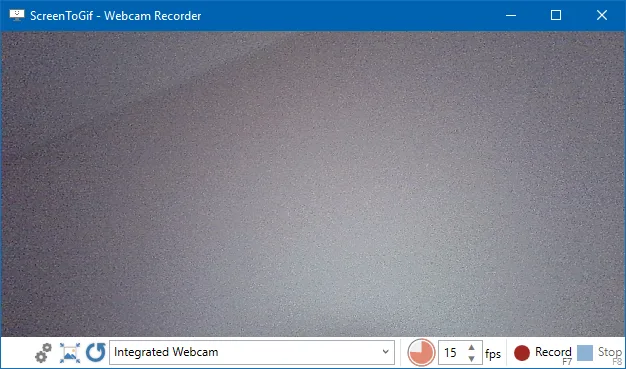
ScreenToGif is made for Windows. README modes: screen, webcam, sketchboard. After capture you edit and save as gif, apng, video, psd, or png. Video export and import lean on FFmpeg 7 and newer. No account. Files stay on the PC.
Webcam: webcam guide. Record: record on Windows. Export: export gif, apng, video. FFmpeg: FFmpeg guide.
License is MS-PL. Install:
winget install -e --id NickeManarin.ScreenToGifFeature table
| Feature | ScreenToGif | LICEcap |
|---|---|---|
| Job | Record, edit, export | Region GIF capture |
| Vendor page | GitHub repo | cockos.com/licecap |
| License | MS-PL | See the Cockos vendor page |
| Screen region | Yes | Yes |
| Webcam recorder | Yes | Not LICEcap’s job |
| Sketchboard | Yes | Not LICEcap’s job |
| Integrated editor | Yes | Thin recorder |
| Export gif | Yes | Yes |
| Export apng, video, psd, png | README names these | Follow Cockos notes for that product |
| Windows install | Winget or GitHub MSI/zip | Windows build on the vendor site |
| Other OS on the vendor page | Windows assets on GitHub | Mac build listed by Cockos |
| Import from the other tool | None documented | None documented |
| Account | None | None claimed on the vendor page |
People also search EZGIF when they want a gif without installing anything. That is a browser encoder: vs EZGIF. ShareX is the broader Windows toolkit: vs ShareX.
When to keep LICEcap
Keep LICEcap when the work is a rectangle, a gif, and no editor. If you already have LICEcap sized around a window and that is enough, a gif maker is optional. Read cockos.com/licecap for that product. Do not migrate a LICEcap recording into ScreenToGif as a project.
If you only downloaded LICEcap because search results mixed “gif maker” with tiny recorders, record once, decide whether you need webcam, board, or frame edits, and only then switch.
When to switch
Switch to ScreenToGif when you need webcam or sketchboard, trim, overlay, apng, or a video export via FFmpeg. Re-record the clip. Keep any old LICEcap gif as a file if you still need it. Browser encoders: switch from browser gif tools. Move notes: move off web encoders.
How to install the gif maker
Use winget on Windows 10 1809+ or Windows 11, or take ScreenToGif.*.Setup.x64.msi from Releases. Portable zip: portable or setup. Light versus full: light or full. Releases: gif maker releases. Safe download: download safely. GitHub: open source gif maker on GitHub. Windows: open source gif maker on Windows. This computer: gif maker for this computer. About: about. Runtime: .NET 9 Desktop Runtime. App Installer: Microsoft App Installer.
License, local files, and extra copies
ScreenToGif is MS-PL. LICEcap licensing sits on the Cockos site. Keep those licenses separate. Recordings and exports for the gif maker stay on the PC. The README does not describe an account.
If Desktop holds both LICEcap and extra unsigned gif-maker exes, keep LICEcap only if you still need the thin recorder. Remove extra gif copies after the official ScreenToGif install. Product home: screentogif.com. Issues: ScreenToGif issues. Wiki: ScreenToGif wiki. Resize: gif resizer. Convert: gif converter. Make: make a gif. Safety: is this gif maker safe. Home: gif maker. Guides: guides.
Kap is a macOS screen recorder some people type next to gif capture. It is not a Windows ScreenToGif install path, and these notes do not add a Mac installer.
Pick one job and one official download host. The gif maker records a region, a camera, or a board, then edits on the same Windows app. LICEcap keeps the thin region gif.
Runtime and extra copies
ScreenToGif needs .NET 9 Desktop Runtime or above per the README. Full setup MSI bundles it. LICEcap’s size story stays on the Cockos page. Light ScreenToGif is still the same editor: it expects the runtime and still opens the editor. LICEcap stays the thin Cockos recorder.
Keep one official ScreenToGif copy. Extra Desktop exes are not LICEcap and are not GitHub. Skip Softonic. Safe download: download a gif maker safely. Releases: gif maker releases.
Frequently asked questions
Is LICEcap a gif maker with an editor?
LICEcap is a small region GIF recorder on cockos.com/licecap. It captures a rectangle to a gif. ScreenToGif adds an editor plus webcam and sketchboard. Those are different jobs.
Can I import LICEcap recordings into this gif maker?
The ScreenToGif README does not document a LICEcap project importer. If you still have a gif LICEcap wrote, keep that file. Record new clips in ScreenToGif when you need the editor. Related: gif converter.
Does LICEcap run on Windows like this gif maker?
Yes. LICEcap ships a Windows build on the Cockos site. That vendor page also lists a Mac build. ScreenToGif assets on GitHub are Windows MSI, zip, and MSIX. These notes map the Windows gif maker only.
How do I install the gif maker instead of LICEcap?
Run winget install -e --id NickeManarin.ScreenToGif or take the x64 setup MSI from GitHub Releases. Then pick screen, webcam, or sketchboard. Guide: install on Windows.
Is LICEcap open source like this gif maker?
ScreenToGif is MS-PL on GitHub. LICEcap licensing sits on the Cockos vendor page. Treat those as two products. Do not mix licenses. ScreenToGif license: MS-PL.